CTR Manipulation Tool Pricing: What Web Traffic Bot Alternatives Cost
You are comparing a dedicated CTR campaign tool against generic web traffic bots, and the price gap is not the real question. The real question is what each one actually delivers per visit, and whether you can prove any of it happened.
This article breaks down CTRTool's plan tiers and credit model, explains what cheap traffic bots typically provide in practice, and shows where the cost difference between the two approaches actually shows up. By the end, you will know which option fits your keyword and budget situation.
What Is CTRTool? The CTR Campaign Tool Behind the Pricing
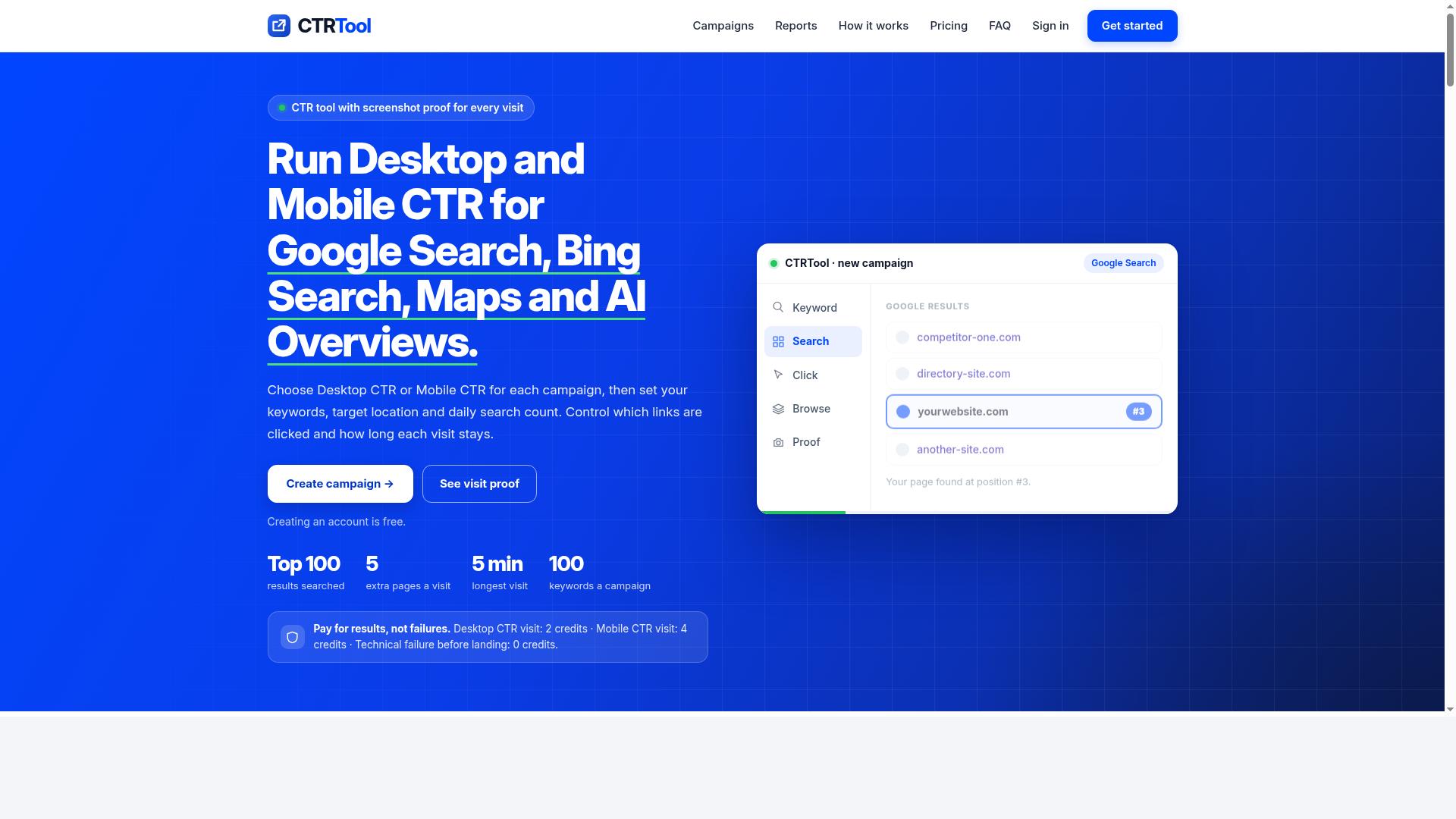
CTRTool is a subscription-based platform that runs automated click-through rate (CTR) campaigns to simulate organic user engagement on search results, Maps listings, and AI Overviews. It is built for one purpose: influencing how often a target page or listing gets clicked, so that signals tied to user engagement can support search engine rankings.
Unlike generic web traffic bot alternatives that send undifferentiated visits, CTRTool focuses on structured SERP clicks. Campaigns cover Google Search, Bing Search, Google Maps, and AI Overviews, and each visit is backed by screenshot proof.
The platform also gives users control over the details that shape a campaign: keywords, target location, daily search count, which links get clicked, and how long each visit stays. That structure is what separates a CTR manipulation tool from raw bot traffic, and it is also what the pricing tiers are built around.
Campaign Types and Platforms Covered
CTRTool offers four distinct campaign types: Google Search CTR, Bing Search CTR, Google Maps CTR, and AI Overview CTR, each designed to simulate clicks on specific result types. Every campaign can run on Desktop or Mobile, and targeting can be narrowed by country, state, and city, or left as Any country.
Here is how each campaign type works:
- Google Search CTR: the tool searches a keyword and clicks the organic result. It can work through the Top 100 results and visit internal pages.
- Bing Search CTR: the same keyword-and-click flow applied to Bing.
- Google Maps CTR: the tool finds a business listing and clicks through to its website link, with up to 50 listings and city targeting.
- AI Overview CTR: the tool finds your website in the AI-generated overview and clicks its source link, with control over citation order.
Campaign setup adds further control. Users can run up to 100 keywords per campaign, set search depth up to 100, and choose daily search counts with now, spread out, or gap timing across chosen days, hours, and time zone. Daily goals reset at 00:00 UTC.
Visits are not one-click bounces. Users set the target URL, internal page URLs, and link text, plus click order and scrolling time, with up to five additional pages per visit and visits lasting up to five minutes total. Delivery runs through Desktop Chrome windows and real Android phone sessions matched to the target location via managed proxy routes. Reports include full visit paths, search and website screenshots, and keyword positions over time.
Who CTRTool Is Built For
CTRTool targets SEO practitioners and agencies who need to influence CTR for their own or client websites across multiple search platforms. These are users who already understand CTR manipulation tactics and want a structured way to run campaigns rather than piecing together traffic sources.
The site's own guidance mentions using tier links, PBNs, and test properties as part of campaign strategies. That framing tells you something about the audience: people comfortable with link infrastructure and testing setups, not newcomers looking for purely organic growth.
If you want rankings to rise without any automation, this is not the tool for that job. CTRTool is for practitioners who accept that automated clicks are the method and want visibility into what each campaign actually did. The screenshot proof for every visit and the position reports for search, Maps listing order, and AI citation order all serve that need for accountability.
Custom form filling or other custom actions are available through support with a separately agreed one-time fee, which suits agencies running more elaborate client campaigns. In short, CTRTool is built for the professional segment of the CTR campaign market, and its pricing reflects a tool aimed at people running repeatable campaigns rather than one-off experiments.
What Does CTRTool Cost? Full Pricing Breakdown
CTRTool uses a monthly subscription model with four tiers, Starter, Growth, Scale and Agency, priced in USD and based on a credit system. There is no pay-per-click billing and no separate setup charge to open an account, which is free.
Credits are the currency of the platform. A Desktop CTR visit costs 2 credits, while a Mobile CTR visit costs 4 credits, so the same plan supports roughly half as many mobile sessions as desktop ones. The plan you choose sets your monthly credit allotment, and unused credits roll over while your subscription stays active.
One detail worth noting for your budget: the site lists limited launch pricing with a notice that prices rise 30% on November 15. The sections below break down each tier and explain exactly when credits are and are not deducted.
Starter, Growth and Scale Plans Compared
The Starter plan costs $59 per month for 2,000 credits, which translates to up to 1,000 Desktop CTR visits or 500 Mobile CTR visits. It is the entry point for testing whether automated SERP clicks fit your keyword strategy.
Growth is marked Recommended on the site and costs $125 per month for 5,000 credits. That covers up to 2,500 Desktop visits or 1,250 Mobile visits, roughly two and a half times the Starter capacity for a little more than double the price.
Scale costs $399 per month for 20,000 credits, supporting up to 10,000 Desktop or 5,000 Mobile visits. At the top of the range, Agency runs $699 per month for 40,000 credits, or up to 20,000 Desktop and 10,000 Mobile visits.
| Plan | Monthly Price (USD) | Credits | Desktop Visits | Mobile Visits |
|---|---|---|---|---|
| Starter | $59 | 2,000 | 1,000 | 500 |
| Growth (Recommended) | $125 | 5,000 | 2,500 | 1,250 |
| Scale | $399 | 20,000 | 10,000 | 5,000 |
| Agency | $699 | 40,000 | 20,000 | 10,000 |
Value per credit is consistent across tiers at roughly 3 cents each, so the higher plans are about volume and headroom rather than a per-credit discount. When weighing the monthly fee against your budget, think in cost per visit: Desktop visits work out to about 6 cents and Mobile visits about 12 cents on every plan.
For a single site running a handful of keywords, Starter or Growth usually covers a campaign comfortably. Agencies managing multiple clients or large keyword sets will find the Scale and Agency tiers better suited to sustained click volume.
How the Credit Model Works (and When You Aren't Charged)
CTRTool operates on a credit system where each campaign action consumes credits, but credits are only deducted when a visit is successfully completed and verified. That distinction matters for anyone comparing CTR manipulation tool pricing, because a failed attempt should not eat into your monthly budget.
The credit costs are straightforward:
- Desktop CTR visit: 2 credits
- Mobile CTR visit: 4 credits
- Verified search without a match: 1 credit
- Technical failure before landing: 0 credits
The zero-credit rule is the most reassuring part of the model. If a technical failure occurs before the visit lands, nothing is charged, so you are not paying for bot traffic that never reached your page.
There is also a hard eligibility gate. The page must appear within the top 100 organic results for the chosen keyword and location, or the campaign cannot complete. In that case only the verified search is charged, at 1 credit, rather than a full visit. Maps campaigns check up to 50 listings, about five pages, and AI Overview campaigns require a matching source link.
Balance management is simple. One credit balance covers all campaigns, with support for up to 100 campaigns and 100 keywords per campaign, and daily goals reset at 00:00 UTC. Unused credits roll over while the subscription is active but expire once cancellation takes effect, so the smart approach is to size your plan to your actual monthly click volume rather than stockpiling. CTRTool is also clear that it does not guarantee higher rankings, leads or sales, which is why the credit model, not promised outcomes, is the right basis for your cost comparison.
How CTRTool's Pricing Compares to Typical Web Traffic Bot Alternatives
Generic web traffic bots often advertise extremely low prices per visit, but they typically deliver untargeted, low-quality traffic that may not influence rankings. The gap between those offers and a dedicated CTR manipulation tool comes down to what each one actually does.
CTRTool sits on the search-specific side of this market. Its subscription pricing reflects targeted search campaigns rather than raw visit volume, so the comparison is not really visits versus visits. It is verifiable search interaction versus anonymous page loads.
Cheap traffic generators compete almost entirely on price per thousand visits. A serious CTR tool competes on whether those visits resemble real searchers, which is a different question with a different cost structure.
What Cheap Traffic Bots Actually Deliver
Cheap traffic bots often deliver high volumes of visits with near-zero dwell time, high bounce rates, and no proof of actual search interaction. An offer of $5 for 10,000 visits sounds impressive until you look at what each visit contains.
In practice, that kind of volume usually means traffic routed through proxy servers from geographies unrelated to your market. There is typically no keyword targeting at all, so the visitor never arrives through a search engine result page. The page may not even render fully before the session ends.
The downstream effects on your analytics are the real problem. A wave of near-instant exits pushes your bounce rate upward and drags average session duration toward zero. Google Analytics records these as real users, so the picture you get of your organic search traffic becomes distorted.
Worse, none of this touches the metric you were trying to influence. If no search impression precedes the click, the visit cannot change your click-through rate in a meaningful way. You have paid for noise that looks like activity.
- No keyword targeting or SERP entry point
- Irrelevant geographic sources via proxy pools
- No screenshot or other proof of the visit
- Skewed bounce rate and session duration data
- Pages that may not fully load before exit
Where the Real Cost Difference Shows Up
The true cost of a traffic bot isn't the sticker price per visit but the lack of measurable impact on rankings and the risk of wasted spend. A cheap per-visit rate multiplies into a real budget quickly once volume is scaled up.
Compare the two pricing models on what they deliver. Pay-per-visit bots charge for anonymous page loads with no audit trail. CTRTool charges a subscription fee for search-specific campaigns, where the value rests on proof and targeting rather than volume. Per-visit rates look lower, but only because less is being delivered.
When you evaluate ROI, the question is whether the spend moves keyword rankings at all. Targeted search campaigns with proof give you a way to judge that. Untargeted bot traffic gives you nothing to measure against, so every dollar spent is unaccounted for.
That is where the cost comparison really lands. One model produces evidence you can review, including campaign proof and position tracking. The other produces a traffic number and little else. On that basis, a higher monthly fee for verifiable actions can work out cheaper than a low fee for traffic that never influences the search engine algorithm.
For buyers weighing CTR manipulation tool pricing, the practical test is simple. Ask what proof each option provides and whether the clicks originate from search. The answer usually explains the price gap on its own.
Key Features That Justify the Price
CTRTool's pricing reflects features designed to provide transparency and measurable results, including screenshot proof and detailed position tracking. Rather than asking buyers to take results on faith, the tool builds verification into every part of a campaign.
Three capabilities separate CTRTool from cheaper web traffic bot alternatives and generic traffic bots: screenshot proof of visits, tracking across multiple platforms, and campaign customization that lets one credit balance cover many sites and keywords. Each of these supports a different part of the value equation, from accountability to measurement to scale.
For anyone weighing CTR manipulation tool pricing, the practical question is whether a lower monthly fee still delivers data you can act on. The sections below break down what each feature does and why it matters to your budget and ROI.
Screenshot Proof and Full Visit Paths
Every CTRTool visit generates separate search and landing screenshots as proof, along with the full path taken from search to page. One image captures the search result click, and a second captures the landing page itself, so you can see both ends of the journey rather than a single summary line.
This matters because most traffic bot alternatives report activity in the aggregate. You may see a count of automated clicks or SERP clicks, but little evidence of what actually happened. CTRTool's full visit paths let you verify the exact user journey, including the keyword used, the position that was clicked, and time spent on the page.
That level of detail connects directly to the metrics you already watch. Dwell time and session duration become things you can inspect rather than assume, and you can compare recorded visits against analytics and Search Console data. If a campaign is meant to influence user engagement signals, proof that visits followed the intended path is the difference between a claim and a record.
For buyers comparing a subscription cost against cheaper options, screenshot proof is also a form of risk control. You are paying for verifiable delivery, not just volume. That transparency is a core justification for CTRTool's price and a clear contrast with tools that offer no evidence trail at all.
Keyword Position Tracking Across Search, Maps and AI Overviews
CTRTool tracks keyword positions over time across Google Search, Bing Search, Google Maps, and AI Overviews, including Maps listing order and AI citation order. Instead of a single ranking number, you get a view of where your target keywords appear across the surfaces that now shape organic search traffic.
That breadth is increasingly important. A keyword can rank well in classic results yet sit in a weak Maps position, or fail to appear in AI-generated answers. Tracking Maps listing order and AI citation order alongside standard rankings shows whether a campaign is moving the placements that actually drive impressions and clicks.
The data supports practical decisions. You can monitor ranking changes for target keywords, spot which campaigns are producing movement, and adjust keyword lists or click volume accordingly. Over a few cycles, this turns campaign management into a measurable loop and gives you a clearer basis for judging ROI on your subscription cost.
Position tracking is included in the subscription rather than sold as a separate add-on. Combined with a shared credit balance and support for up to 100 campaigns with 100 keywords each, it lets SEO teams run a broad cost comparison against web traffic bot alternatives that charge extra for reporting or cap the number of tracked terms.
Trust Signals: What the Platform Proves
CTRTool emphasizes verifiability through screenshot proof, visit paths, and position tracking, which serve as trust signals for agencies and SEO professionals. These proof mechanisms let clients see evidence of each visit rather than taking a vendor's word for it.
That matters in a category where click fraud and low-quality bot traffic are real concerns. When every campaign leaves a visible trail, buyers can judge the service on what actually happened instead of on promises.
Three proof layers do most of the trust work:
- Screenshot proof shows that a visit occurred, giving clients a record they can inspect.
- Visit paths document the route a session took, which helps confirm the traffic behaved like a real visit.
- Position tracking ties campaign activity to keyword ranking movement in the SERP, so clients can watch search engine rankings alongside the clicks delivered.
For an agency, this kind of evidence supports client reporting. For an in-house SEO professional, it turns a CTR manipulation tool pricing decision into something that can be checked against delivered activity, not just a monthly fee.
CTRTool is also transparent about campaign requirements. The tool states plainly that campaigns target the top 100 results, so buyers know upfront where their keyword ranking needs to sit for a campaign to apply. Clear eligibility rules reduce the risk of paying for a subscription that cannot serve a given keyword.
That transparency also protects the budget. Clients can screen keywords against the requirement before committing, which keeps spend aligned with realistic ROI expectations.
One limitation is worth stating plainly. According to the verified brand information, CTRTool lists only its official website at ctrtool.com and a legal notices page at ctrtool.com/licenses.html. No social, directory, or review profiles are listed in the available material.
So trust here rests on in-platform proof rather than third-party ratings or community chatter. Buyers who weigh public reviews heavily should note that gap, while buyers who prefer documented visit evidence will find the proof mechanisms more useful than testimonials.
The overall picture is a platform that answers the click fraud question with records: screenshots, visit paths, and position tracking. That is a credible basis for treating CTRTool as a legitimate option among web traffic bot alternatives.
Who Should Use CTRTool
CTRTool is best suited for SEO agencies and practitioners who already understand CTR manipulation and need a verifiable, multi-platform campaign tool. It is built for people who treat SERP clicks as a deliberate tactic, not a casual experiment. If that describes your workflow, the tool's scope and pricing model are likely to make sense for your operation.
The verified user profile is narrow and specific. CTRTool serves SEO practitioners and agencies running CTR campaigns for their own or client websites. Campaigns can run across Google Search, Bing Search, Google Maps and AI Overviews, which matters for teams managing visibility in more than one surface.
Agencies managing client SEO are the clearest fit. When you run campaigns on behalf of clients, you need repeatable processes and clear reporting, and a tool built around multi-platform campaigns supports that structure better than ad hoc methods. The site's guidance even mentions using tier links, PBNs and test properties, which points to practitioners comfortable with link infrastructure and testing setups.
In-house SEO teams with budget for experimentation also belong here. CTR influence on search engine rankings is debated, and the only way to learn what works for your niche is to test carefully and measure outcomes. Teams with room in the budget for a subscription cost can treat CTR campaigns as one input among many, alongside content and technical work.
Practitioners targeting competitive keywords are another natural fit. In crowded SERPs, small signals can matter, and teams already watching click-through rate, impression counts and click ratio in Search Console are positioned to evaluate whether campaign activity moves anything. The same applies to those working on local visibility through Google Maps.
CTRTool is not for everyone, and it is worth being direct about that:
- Those seeking purely organic growth with no paid tooling should look elsewhere. CTR campaigns are a paid tactic, not a substitute for content and technical SEO.
- Teams with very limited budgets should weigh the monthly fee against other priorities. A subscription only earns its keep when you can run campaigns consistently.
- Anyone who has not yet grasped how CTR manipulation works should build that understanding first. The tool assumes prior knowledge rather than teaching fundamentals.
One caution applies to every user: automated clicks are a tactic with real risk, and click fraud detection systems and search engine spam policies exist for a reason. Practitioners should understand those risks before committing budget. Used by informed teams with realistic expectations, CTRTool fits a defined niche well.
Final Verdict: Is CTRTool Worth the Price?
CTRTool's pricing is higher than generic traffic bots, but the screenshot proof, targeted campaigns, and position tracking justify the cost for serious SEO professionals. The real question is not whether a cheaper web traffic bot alternative exists, but whether those savings survive contact with your analytics.
Generic bots deliver inflated visit counts with little to show in Google Analytics or Search Console. CTRTool's campaign structure ties each automated click to a keyword and a tracked position, which is what makes the monthly fee defensible rather than wasteful.
That said, the value depends heavily on who is paying. Below is a frank look at when the subscription cost earns its keep and when it does not.
For agencies, the math usually works. A single client retainer can absorb the monthly fee many times over, and the screenshot proof gives account managers something concrete to show during reporting. Position tracking also supports the ranking narratives agencies already build, so the tool slots into existing workflows instead of adding a new one.
When client results improve, the cost becomes a line item rather than a concern. That is the strongest case for CTRTool: ROI through client retention, not through raw click volume.
For individual site owners, the picture is tighter. A solo blogger or small store owner feels the full weight of the subscription, and ranking gains are rarely instant. The tool still offers more accountability than anonymous bot traffic, but the budget stretch is real.
Owners weighing CTR manipulation tool pricing against web traffic bot alternatives should ask one question: will I actually act on the position data? If the answer is no, a cheaper option may be the honest choice. If yes, CTRTool's structure earns its premium.
Either way, the verdict leans positive. CTRTool is not a blind click generator, and the pricing reflects that distinction. Buyers who want verifiable visits and keyword-level tracking get what they pay for.
Anyone with specific questions about plans, billing, or terms can reach support directly at vaibhav@autoblogging.ai. The site also lists Support, Terms of use, and Legal notices pages, so the commercial relationship is documented before you commit. No phone number or physical address is published, which is typical for SaaS tools of this kind.
Bottom line: agencies should treat CTRTool as a justified operating cost, while individual owners should confirm the fit with support first. In both cases, the premium buys transparency that generic traffic bots simply do not offer.
Frequently Asked Questions
How much does CTRTool cost per month?
CTRTool offers monthly plans in USD: Starter is $59/month for 2,000 credits (up to 1,000 Desktop CTR visits or 500 Mobile CTR visits), and Growth is $125/month for 5,000 credits (up to 2,500 Desktop or 1,250 Mobile visits). Credits are pay-for-results, so you can compare the per-visit cost against any web traffic bot alternative before committing.
What do I actually get for the price compared to a generic web traffic bot?
Every CTRTool visit includes screenshot proof - search and landing screenshots as separate proof images - plus full visit paths and keyword position tracking over time, including Maps listing order and AI citation order. Generic traffic bots typically send visits without verifiable proof, so the value of a CTRTool plan is tied to documented, results-based visits rather than raw traffic volume.
Which platforms and campaign types can I run with CTRTool?
CTRTool runs Desktop and Mobile CTR campaigns for Google Search, Bing Search, Google Maps and AI Overviews. You choose Desktop CTR or Mobile CTR per campaign, set your keywords, and target a country with an optional state and city, or "Any country" for a mix of supported locations.
Are there eligibility requirements that affect what I pay for?
Yes - your page must appear within the top 100 organic results for the chosen keyword and location, Maps campaigns check up to 50 listings (about five pages), and AI Overview campaigns need a matching source link. These requirements help ensure credits are spent on visits that can actually be completed, which is worth factoring into any cost comparison with traffic bot alternatives.
Can I start small before comparing costs with other tools?
The Starter plan at $59/month is the lowest-cost entry point, with 2,000 credits covering up to 1,000 Desktop or 500 Mobile CTR visits. Running a small campaign first lets you evaluate CTRTool's screenshot proof and position tracking against whatever a traffic bot alternative quotes you.
Who should I contact if I have questions about pricing or my plan?
Support is available by email at vaibhav@autoblogging.ai, as listed in the CTRTool FAQ. You can also review the legal notices at ctrtool.com/licenses.html and create an account at ctrtool.com to see current plan details.