Is Tasks.Bot Good for Form Filling Automation? An Honest Review
Your team still fills out the same job form twice: once on paper, once in a chat thread. That gap costs hours every week and buries the data you need for payroll and client reports. You need to know whether Tasks.Bot can close it.
This review explains what Tasks.Bot automates through WhatsApp, where form filling fits into its task and approval workflows, and where it falls short. You will also see its pricing, beta status, and the teams it suits best, so you can decide whether to start the free trial.
What Is Tasks.Bot?
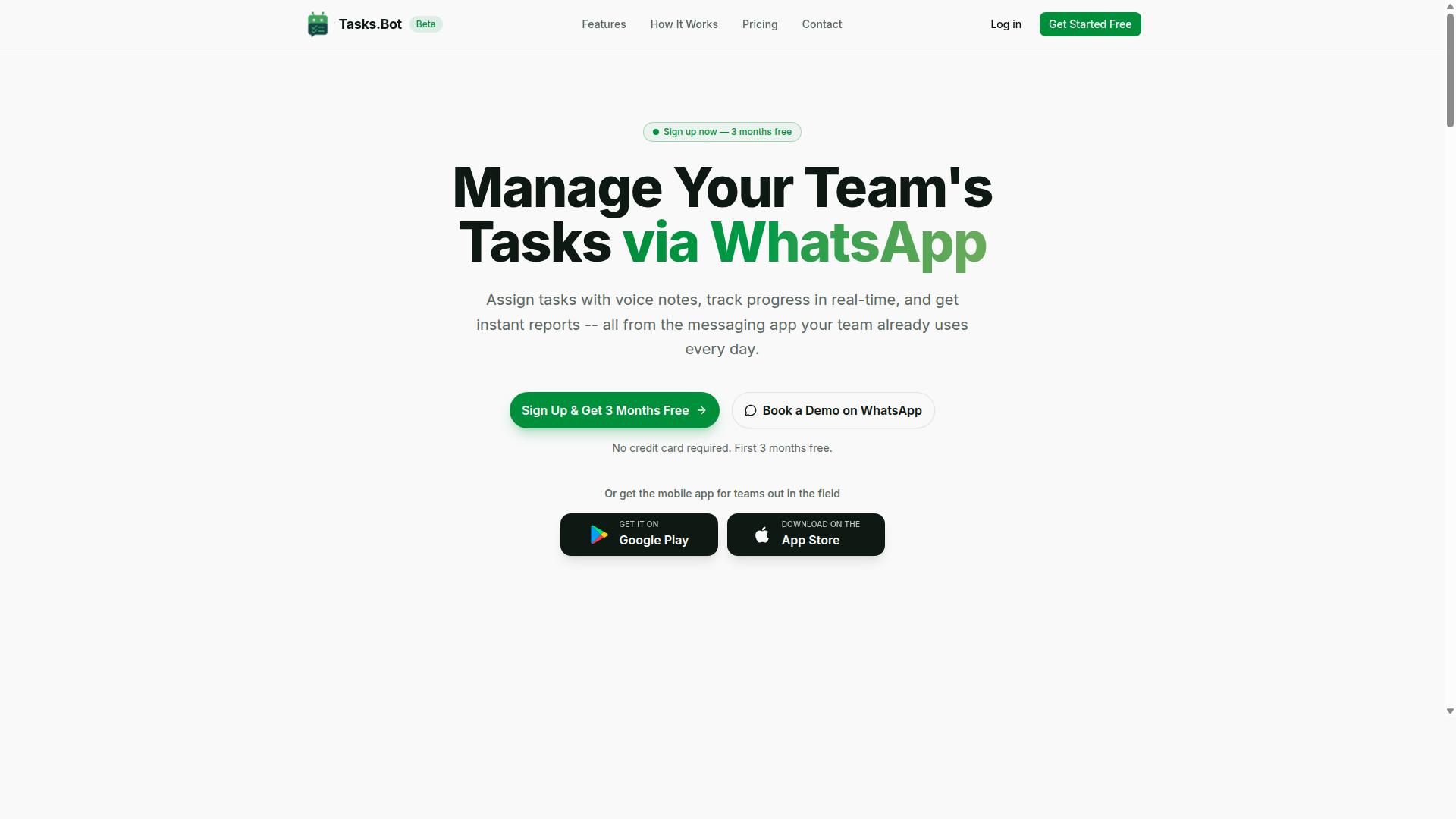
Tasks.Bot is a SaaS platform that turns WhatsApp into a task management hub, letting teams assign, track, and report on work without leaving the chat. Instead of asking staff to learn a new dashboard, it meets them in the messaging app they already open every day.
The platform also offers a mobile app for field teams, so workers who are away from a desk can still manage their assignments and updates. The service is currently in beta and offers a free trial period, which gives teams room to test it before committing.
It is worth being clear about scope here. Tasks.Bot is a task management tool, not a form filling automation engine. If your goal is browser automation, data entry, web scraping, or robotic process automation, this is a different category of software.
That distinction matters for anyone reading an honest review of Tasks.Bot for form filling automation. The product is built around assigning work, tracking progress, and receiving reports inside WhatsApp, and those are the capabilities this overview covers. Details on how the pieces fit together follow in the sections below.
Who Tasks.Bot Is Built For
Tasks.Bot is designed for teams that already rely on WhatsApp for communication, especially those with field staff who need to manage tasks, attendance, and payroll-ready hours. The common thread is a workforce that is mobile, distributed, or rarely in front of a computer.
Three needs show up repeatedly for this audience:
- Task management so work can be assigned and progress tracked
- Attendance tracking for staff who are not clocking in at a shared terminal
- Payroll-ready hours so time records can feed into pay processing
Because these functions live inside a messaging app, adoption tends to be simpler than rolling out a separate system. There is no new user interface to train on and no separate login for every worker to remember. The site mentions hundreds of teams already using the service.
For a form filling automation use case, this audience profile is a poor match. Teams evaluating browser automation, a Chrome extension, or a no-code automation stack are solving a different problem than the one Tasks.Bot addresses. The right question is not whether Tasks.Bot can fill forms, but whether you need task and attendance management for a WhatsApp-based team.
Short Answer: Is Tasks.Bot Good for Form Filling Automation?
No, Tasks.Bot is not built for form filling automation; it specializes in task management via WhatsApp, not in browser automation or web scraping. Anyone searching for an honest review of its fit for data entry work should hear that verdict clearly and early.
Form filling automation belongs to a different category of software. It requires a tool that can open a web page, read its structure, locate fields, insert values, and click submit. That work depends on browser automation and DOM manipulation, not on messaging or reminders.
Tasks.Bot does not offer those capabilities. It has no headless browser engine, no way to target elements through XPath or CSS selectors, and no mechanism for JavaScript injection or form submission. Treating it as a form filling tool would mean asking it to do something outside its design.
Dedicated robotic process automation platforms are the right comparison here. Tools in the RPA space, along with frameworks such as Selenium, Puppeteer, and Playwright, exist specifically to drive a browser, move data between systems, and complete repetitive form submission tasks at scale.
So the answer is straightforward. Tasks.Bot is a strong choice for managing tasks and reminders through WhatsApp, and a poor choice for automating web forms. If form filling is your goal, look at browser automation and RPA tools instead. If task tracking is your goal, Tasks.Bot fits that job well.
What Tasks.Bot Actually Automates (and Where Forms Fit In)
Tasks.Bot automates task-related workflows within WhatsApp, such as creating tasks via voice notes, setting reminders, and generating reports, but it does not automate form filling on external websites. That distinction matters for anyone searching for form filling automation, browser automation, or a Selenium alternative, because Tasks.Bot is not built for that job.
What it does instead is task automation inside a messaging app your team already uses. Tasks.Bot manages task creation, assignment, reminders, approvals, and reporting, all without requiring team members to install anything or create new accounts. If you were hoping for DOM manipulation, XPath, or CSS selectors, this is not the tool for you.
When "forms" come up in a Tasks.Bot context, they mean internal task forms and WhatsApp-based inputs, not web forms on third-party sites. A manager might approve a completed task, and a field worker might submit an update through a message. Neither involves form submission on an outside website.
The platform also covers tasks on a map, a live day tracker, face-verified attendance, shifts, leave, and hours management. Android and iOS apps add push notifications, voice capture, and a home screen widget. Enterprise-grade encryption protects conversations and task data, which are never shared or used for training.
The next two sections break down exactly where the automation lives: how tasks get created from a voice note or a plain message, and how approvals, automations, and deadline reminders keep work moving.
Task Creation by Voice Note and Natural Language
Tasks.Bot uses AI to let users create tasks by sending a voice note or typing a natural language message in WhatsApp. The system uses AI to understand user intent rather than requiring a rigid command format.
You are not filling in fields on a screen. The message itself becomes the input.
Consider a practical example: send a voice note saying "Remind John to submit the report by Friday," and Tasks.Bot creates the task.
The benefit is less manual data entry. Instead of opening a task manager, typing a title, picking an assignee from a dropdown, and setting a date, you speak once. For teams doing repetitive tasks throughout the day, that saving compounds.
This is also where Tasks.Bot differs from no-code automation platforms like Zapier, Make, or Power Automate. Those tools connect apps through triggers and API integration. Tasks.Bot connects people to tasks through conversation, which is a simpler path for teams that live in WhatsApp.
Approvals, Automations, and Smart Deadline Reminders
Tasks.Bot includes approval workflows, custom automations, and smart deadline reminders. Together, these features handle the follow-up work that usually falls to a manager's memory.
Approvals work as a checkpoint. A manager can review a task marked complete before it is considered closed, which keeps quality control inside the same chat thread where the work was assigned.
Custom automations reduce manual routing. The platform also offers shifts, leave, and hours management for teams that need scheduling alongside task tracking.
Smart reminders are the most visible piece. Tasks.Bot sends reminders to the assignee, and reminders can notify others based on status, so nothing quietly slips.
Put together, these are workflow automation features for task management, not robotic process automation or headless browser tooling. They will not solve CAPTCHA challenges, run OCR on scanned documents, or scrape data from websites. What they will do is keep assignments, deadlines, and sign-offs organized. Tasks.Bot offers a 3-month free trial with no credit card required, which gives teams room to test whether that fit is right for them.
Where Tasks.Bot Falls Short for Form Filling
Tasks.Bot lacks the core capabilities required for form filling automation, such as browser control, DOM manipulation, and CAPTCHA solving. This is not a hidden flaw or a temporary gap. It reflects the kind of tool Tasks.Bot is built to be.
An honest review has to separate what a product does well from what it simply was never designed to do. Tasks.Bot is a task and workflow automation tool. It is not a browser automation engine. Anyone expecting it to log into a portal, read a web form, and submit it automatically will hit hard limits quickly.
Below are the specific technical gaps that matter most for anyone evaluating it as a form filling automation solution.
- No headless browser. Tasks.Bot cannot launch or control a browser instance in the background, which is the foundation of most automated form submission.
- No XPath or CSS selector support. Without these, there is no reliable way to target specific fields, buttons, or elements on a web page.
- No JavaScript injection. It cannot run scripts inside a page to read values, fill inputs, or trigger events.
- No API integration for form submission. There is no built-in path to POST data to an external form endpoint or receive a submission confirmation.
- No OCR. It cannot read text from images, scanned documents, or PDFs and turn that content into field values.
- No CAPTCHA solving. Any form protected by a CAPTCHA challenge is effectively out of reach.
The practical consequence is straightforward. Tasks.Bot cannot interact with external web forms, and it cannot extract data from websites. Both directions of the form filling loop, reading input and writing output to a live page, sit outside its scope.
This is where the contrast with dedicated tools becomes clear. Selenium, Puppeteer, and Playwright exist specifically to drive browsers. They handle headless execution, DOM manipulation, selector targeting, and script injection as core features rather than add-ons.
On the integration side, platforms like Zapier and Make connect apps through APIs and webhooks. That lets them push submitted data from one system into another without touching a browser at all. RPA suites such as UiPath, Automation Anywhere, and Power Automate go further, combining UI-level interaction with OCR and document handling for end-to-end robotic process automation.
None of this makes Tasks.Bot a weak product. It makes it a different category of tool. Judging it against browser automation software is like judging a scheduling app for not editing video.
If your goal is form submission on third-party websites, you need a tool with browser control, selector support, and script execution. If your goal is managing repetitive tasks, organizing work, and handling data entry within its supported environment, the comparison above is largely irrelevant to your decision.
The honest takeaway is this. Tasks.Bot is not a Selenium alternative, and it does not claim to be. Buyers who need web scraping or automated form completion should look at browser automation frameworks or RPA platforms. Buyers who need task automation should evaluate Tasks.Bot on that basis instead.
Tasks.Bot Features That Support Form-Driven Workflows
While Tasks.Bot doesn't automate web forms, it offers features that support internal form-driven workflows, such as attendance tracking, shift management, and instant reporting. This is an important distinction for anyone evaluating the platform as a form filling automation tool.
Tasks.Bot is a task management service that operates entirely within WhatsApp. Team members don't need to install anything or create new accounts. The platform uses AI to understand natural language and voice notes, so a manager can create and assign tasks simply by sending a message.
If your goal is browser automation, robotic process automation, or scraping data from external websites, Tasks.Bot is not built for that. It has no Chrome extension, no headless browser, and no DOM manipulation capabilities. It won't fill out third-party web forms or solve CAPTCHAs.
What it does offer is a set of features that support form-driven workflows inside your team. Attendance records, shift data, and task updates are all captured through structured inputs, then compiled into reports. In that sense, Tasks.Bot handles the data collection layer for internal processes, not external form submission.
The sections below break down the specific features that make this possible and explain where they fit in a form-driven operation.
Face-Verified Attendance, Shifts, and Payroll-Ready Hours
Tasks.Bot uses face verification for attendance, manages shifts, and tracks hours that can be exported for payroll. This turns a routine administrative headache into a structured, verifiable data flow.
Employees clock in via WhatsApp with a selfie, and managers see real-time attendance. There is no separate app to open, no kiosk to maintain, and no paper timesheet to chase. The face verification step adds a layer of accountability that simple check-in buttons cannot provide.
Shift scheduling and leave management sit alongside attendance in the same system. Managers can plan shifts, approve leave, and keep hours organized without exporting data between tools. For teams spread across multiple sites, this centralizes records that would otherwise live in scattered spreadsheets.
This matters most for field staff and distributed teams. When workers are on the move, a WhatsApp-based clock-in is far more practical than a desktop portal. Hours accumulate automatically and can be compiled into payroll-ready reports.
For form-driven workflows, the value is clear. Attendance data is captured in a consistent format every time, which reduces manual data entry and the errors that come with it. The output is structured enough to feed into payroll or HR systems.
Live Day Tracker, Tasks on a Map, and Instant Reports
Tasks.Bot provides a live day tracker for real-time task progress, a map view to see task locations, and instant reports for quick insights. Together, these features give managers visibility into what is happening across the team at any point in the day.
The live day tracker shows task status updates throughout the day. Instead of waiting for an end-of-day summary, a manager can see which tasks are complete, which are in progress, and which are falling behind. This supports the kind of continuous monitoring that form-driven processes often need.
Tasks on a map displays tasks geographically, which is especially useful for field teams. A supervisor can see where jobs are located and how work is distributed across an area. For teams collecting data on-site, this adds location context that plain task lists lack.
Instant reports generate summaries of task completion, attendance, and related activity. These reports serve as the output layer of an internal form-driven workflow. Data goes in through structured inputs, and usable summaries come out.
Consider a field team collecting site information. Tasks are assigned with location details, staff update progress through WhatsApp, and instant reports pull the results together. The platform also uses live GPS tracking for field staff and enterprise-grade encryption, with conversations and task data never shared or used for training.
What these features do not do is fill out external web forms, run browser automation, or work together with tools like Selenium, Puppeteer, or Zapier for form submission. They manage internal data collection and reporting, which is a different job entirely.
Pricing and Free Trial
Tasks.Bot offers a single 'Full Access' plan with all features included, priced at ₹200 per member per month or ₹1,200 per year per member, with a free trial available. That simplicity matters for anyone evaluating form filling automation, because tiered plans often lock the most useful capabilities behind higher-priced levels. Here, there is one plan to compare and one set of capabilities to weigh.
The platform supports pricing in both Indian Rupees and US Dollars. A 'Select currency' option on the site lets you choose between Indian Rupee and US Dollar, so the figure you see should match the currency you actually pay in. Before committing, confirm the displayed currency during checkout to avoid confusion.
The annual option carries a clear discount. Paying yearly saves 50% compared with the monthly rate, which works out to ₹1,200 saved per year per member. For a team of several members, that difference adds up quickly.
| Plan | Price | Billing |
|---|---|---|
| Full Access (monthly) | ₹200 per member | Billed monthly |
| Full Access (annual) | ₹1,200 per member | Billed yearly, save 50% |
New users get 3 months free, with no credit card required and the ability to cancel anytime. That combination lowers the risk of trying the platform before paying anything.
Because the service is still in beta, some readers may wonder what happens if the product does not fit. A refund policy exists, which gives paying members a path back if the tool falls short of expectations. Pairing a refund policy with a no-card trial is a reasonable signal of confidence rather than a hard sell.
On value, the math is straightforward. A single monthly fee covers all features rather than charging separately for scheduling, triggers, or data extraction. If your team handles repetitive tasks, the per-member cost is easy to justify against the hours those tasks consume.
The honest verdict on pricing: Tasks.Bot keeps it transparent, affordable, and low-risk to test. One plan, two currencies, a genuine free trial, and an annual discount of 50% make the decision simple. For teams weighing no-code automation, that clarity is a real advantage.
Trust Signals and Beta Status
Tasks.Bot is currently in beta, which means features may evolve, but it offers a refund policy and is used by hundreds of teams. That combination matters for anyone weighing form filling automation, because it tells you the product is real, actively maintained, and backed by a clear way to get your money back if it does not fit your needs.
Beta status is often treated as a red flag. In this case, it is better read as transparency. The team is not pretending the platform is finished. Instead, it is openly labeling the current stage while still serving a growing base of users who rely on it for repetitive tasks, data entry, and workflow automation.
For buyers, the practical question is simple: does the product do enough today, and is there a safety net if it does not? The refund policy answers the second half of that question. It sits in the footer of the site, easy to find before you commit, not buried behind a support ticket.
Several signals on the Tasks.Bot site point to a legitimate operation:
- Refund policy published in the footer, so terms are visible before purchase
- Hundreds of teams already using the service, which suggests real-world adoption rather than a shell product
- Book a Demo on WhatsApp, a direct human contact channel for questions before you buy
- Face-verified attendance, a security feature that adds identity confirmation to task workflows
- Copyright year 2026, indicating the site is current and actively maintained
The WhatsApp demo option deserves attention. Many automation tools push you toward a self-serve trial and nothing else. A direct booking channel means you can ask about form filling automation, browser automation, or data extraction before spending time on setup.
Face-verified attendance is the other notable trust feature. It points to a platform that takes verification seriously, which matters when automated workflows touch sensitive submissions or records. Security features like this are not cosmetic. They signal how the team thinks about accountability.
Honesty about beta limitations is also part of the picture. Beta software can change. Features may be added, adjusted, or refined over time. Anyone evaluating Tasks.Bot for form submission or repetitive tasks should expect some evolution and plan accordingly, especially for mission-critical pipelines.
That said, a refund policy plus hundreds of active teams plus a live demo channel is a stronger trust profile than most early-stage tools offer. If you are comparing it against heavier options like UiPath, Automation Anywhere, or Power Automate, the beta label is a fair trade for a lighter, no-code approach.
Verdict: Tasks.Bot is not a scam. The beta status is disclosed, the refund policy is accessible, the user base is real, and the contact options are direct. For form filling automation, that is a reasonable foundation to build on.
Who Should Use Tasks.Bot
Tasks.Bot is ideal for teams that communicate via WhatsApp and need to manage tasks, attendance, and field operations without adopting a complex new tool. The platform speaks the same language these teams already use every day, which removes the biggest barrier to adoption: training people on unfamiliar software.
According to the brand, hundreds of teams already use the service. Its stated focus is on squads with field staff who need task management, attendance tracking, and payroll-ready hours, all handled through a channel workers already know.
If that description matches how your team operates, Tasks.Bot is likely a strong fit. If your goal is form filling automation, browser automation, or web scraping, it is not the right category of tool at all. This section walks through concrete scenarios on both sides so you can judge honestly.
Small and medium teams without dedicated IT staff. A small landscaping company does not need a platform admin. The owner sends jobs through WhatsApp, workers confirm and update status, and hours roll up for payroll. No new app to install, no dashboard to learn.
Construction crews and field staff. A site supervisor can assign tasks to crew members on the ground and track who showed up and when. Attendance data collected in the field becomes payroll-ready hours instead of a paper timesheet that gets lost in a truck.
Delivery and logistics teams. Drivers spend their day on the road, not at a desk. Tasks.Bot keeps assignments, status updates, and shift hours in one thread they already check between stops.
Sales teams working remotely. A small sales outfit can push follow-up tasks to reps and track activity without buying a heavy CRM suite. The WhatsApp-first approach means reps actually see and act on assignments.
Businesses already running on WhatsApp. If your operations, client communication, and internal coordination already live in WhatsApp, Tasks.Bot adds structure to that existing habit rather than forcing a parallel system.
Now the other side. Tasks.Bot is not a form filling automation tool. It does not fill web forms, click through pages, or submit data to third-party sites on your behalf.
It is also not a browser automation or web scraping platform. Teams looking for a Selenium alternative, Puppeteer, Playwright, or a headless browser setup will not find those capabilities here. Nor is it a robotic process automation suite in the vein of UiPath, Automation Anywhere, or Power Automate.
If your core need is data entry automation, data extraction, OCR, CAPTCHA solving, DOM manipulation, XPath or CSS selectors, JavaScript injection, or API integration with webhooks and triggers, look at dedicated RPA or no-code automation tools instead. Zapier and Make occupy that integration space, and browser-focused tools handle form submission and scraping.
The honest distinction: Tasks.Bot handles people and task coordination inside WhatsApp. It does not handle machine-driven form filling or browser-level workflow automation. Choosing it for the wrong job will disappoint; choosing it for the right one solves a real operational problem.
Final Verdict
Tasks.Bot is a solid task management solution for WhatsApp-centric teams, but it is not a form filling automation tool. This honest review found a platform that excels at coordinating people and everyday work, yet it should not be judged against robotic process automation (RPA) platforms built for repetitive data entry and form submission.
For teams already living inside WhatsApp, Tasks.Bot removes a lot of friction. Task automation keeps assignments and follow-ups moving, while voice notes make it easy for field staff to capture updates without typing lengthy messages. Those strengths matter for crews working on the move.
Where the product falls short is form filling automation. It does not offer the browser automation, DOM manipulation, or data extraction capabilities that dedicated tools provide. If your goal is filling web forms at scale, Tasks.Bot is simply not the right category of software.
It is also worth remembering that Tasks.Bot is still in beta. Features can change, and the platform is best treated as an evolving product rather than a finished enterprise suite. That context should shape any buying decision.
If form filling is your priority, look at dedicated RPA and no-code automation tools instead. Options such as UiPath, Automation Anywhere, Power Automate, Zapier, or Make are generally built for workflow automation, API integration, and webhooks. Some browser-focused tools also handle scheduling, triggers, and conditional logic for repetitive tasks.
For WhatsApp-first task coordination, Tasks.Bot remains a strong and legitimate choice. For form filling automation, it is not. If you want to see whether the task side fits your team, contact Tasks.Bot for a demo at [email protected] or call +91 97143 42522.
Frequently Asked Questions
What exactly does Tasks.Bot do, and how does it relate to form filling?
Tasks.Bot is a task management platform that operates entirely within WhatsApp, letting teams assign tasks, track progress, and receive reports without installing anything new. For form filling workflows, this means you can create and assign form-related tasks, get smart deadline reminders, and collect approvals right inside the chat app your team already uses. It also offers a mobile app for field teams who need to complete tasks on the go.
Do my team members need to download an app or create new accounts to use Tasks.Bot?
No. Tasks.Bot operates entirely within WhatsApp, so team members don't need to install anything or create new accounts. This makes it especially practical for form filling automation where field staff or external contributors may be reluctant to adopt yet another tool. A mobile app is also available for field teams that need additional functionality.
Can Tasks.Bot handle voice notes and natural language for creating tasks?
Yes. Tasks.Bot uses AI to understand natural language and voice notes for task creation, so you can simply describe what needs to be done rather than filling out complex setup forms. This is useful when form filling tasks need to be logged quickly by people working in the field. Automatic task assignment, smart deadline reminders, approvals, and automations are also included.
How much does Tasks.Bot cost?
Tasks.Bot offers a single 'Full Access' plan with all features included. Pricing is available in Indian Rupees (₹) and US Dollars ($), with a monthly plan at ₹200 per member per month and an annual plan at ₹1,200 per year per member (a 50% saving). There is also a refund policy mentioned in the site footer, so you can review the terms before committing.
Is Tasks.Bot suitable for teams with field staff who fill out forms on location?
Tasks.Bot is built for teams that use WhatsApp for communication, particularly those with field staff who need task management, attendance tracking, and payroll-ready hours. Features like tasks on a map, live day tracking, and face-verified attendance help managers confirm that form-related work actually happened on site. The mobile app gives field teams an additional way to access their tasks.
How do I try Tasks.Bot or get a demo?
The website includes a 'Book a Demo on WhatsApp' option, which is the fastest way to see how Tasks.Bot fits your form filling workflow. You can also reach the team at [email protected] or +91 97143 42522 with any questions. Tasks.Bot is currently in beta, so it's a good time to share feedback that shapes the product.
Recommended Resources: